
PlayLegacy and Minecraft’s UI Problem
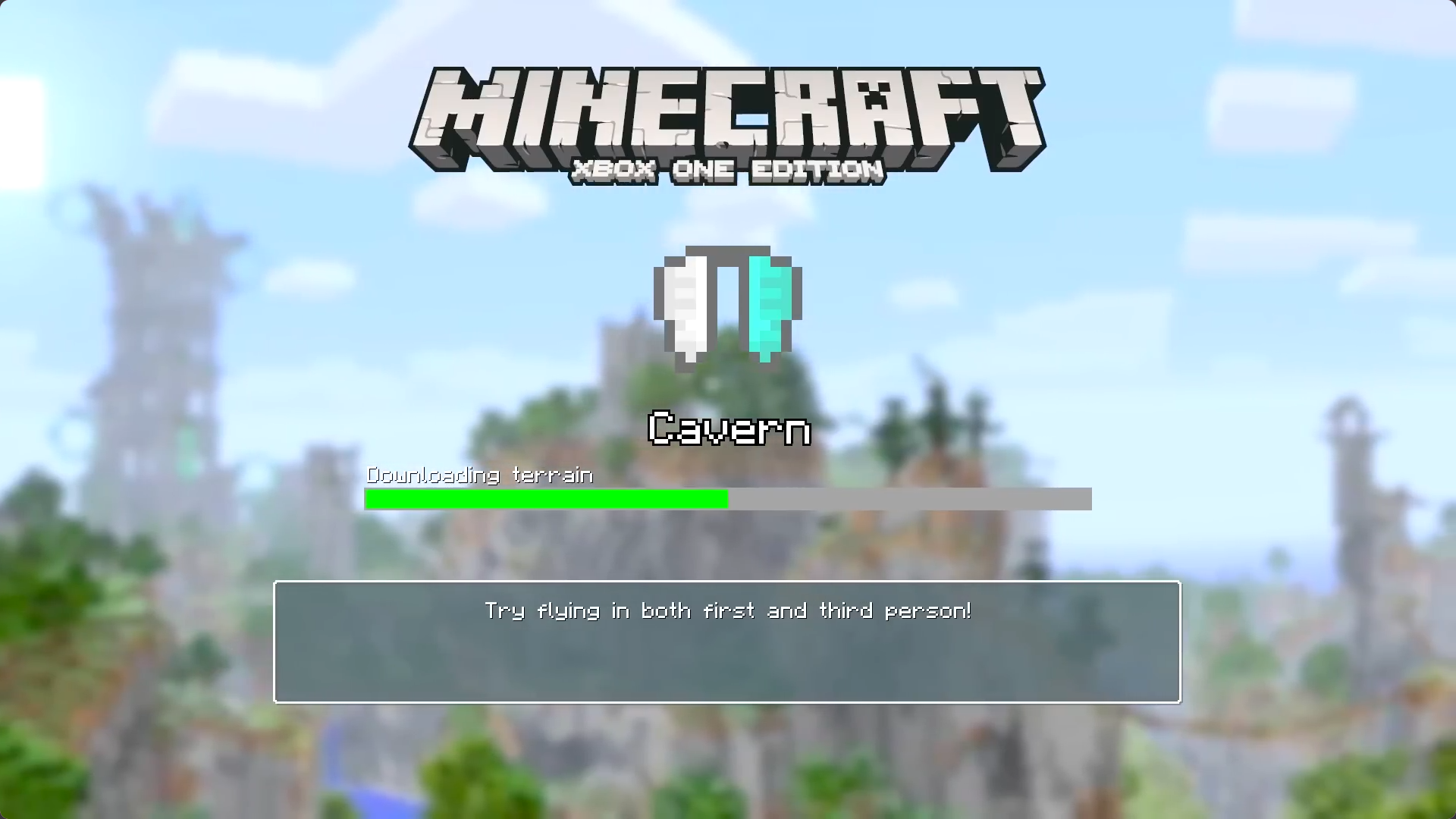
An old edition of Minecraft, the so-called Legacy Console Edition (LCE), had a feature that me and many others have a lot of nostalgia for: the old mini games. These were simple, fast paced multiplayer games, baked into Minecraft itself, that anyone could play and join instantly.
While they're still technically available, they're difficult to access without a copy of the original game. That led me, as a developer who hasn't worked on Minecraft projects in years, to a very specific question: how possible would it be to recreate these games faithfully in modern, Java Edition Minecraft, all without modding the game? Turns out a lot harder than I imagined...
This is a story about trying to make the UI feel native again in an environment where the server does not own the screen.
The old games
There were three old minigames included in LCE:
- Glide, a race to the finish using the Minecraft Elytra
- Battle, a classic PvP style minigame
- Tumble, a spleef-style minigame
Each of the minigames used UI features generally thought to be incredibly challenging to replicate in modern Minecraft, especially because my main constraint was wanting to avoid using mods at all. Here are a few screenshots of the UI I'm attempting to rebuild:
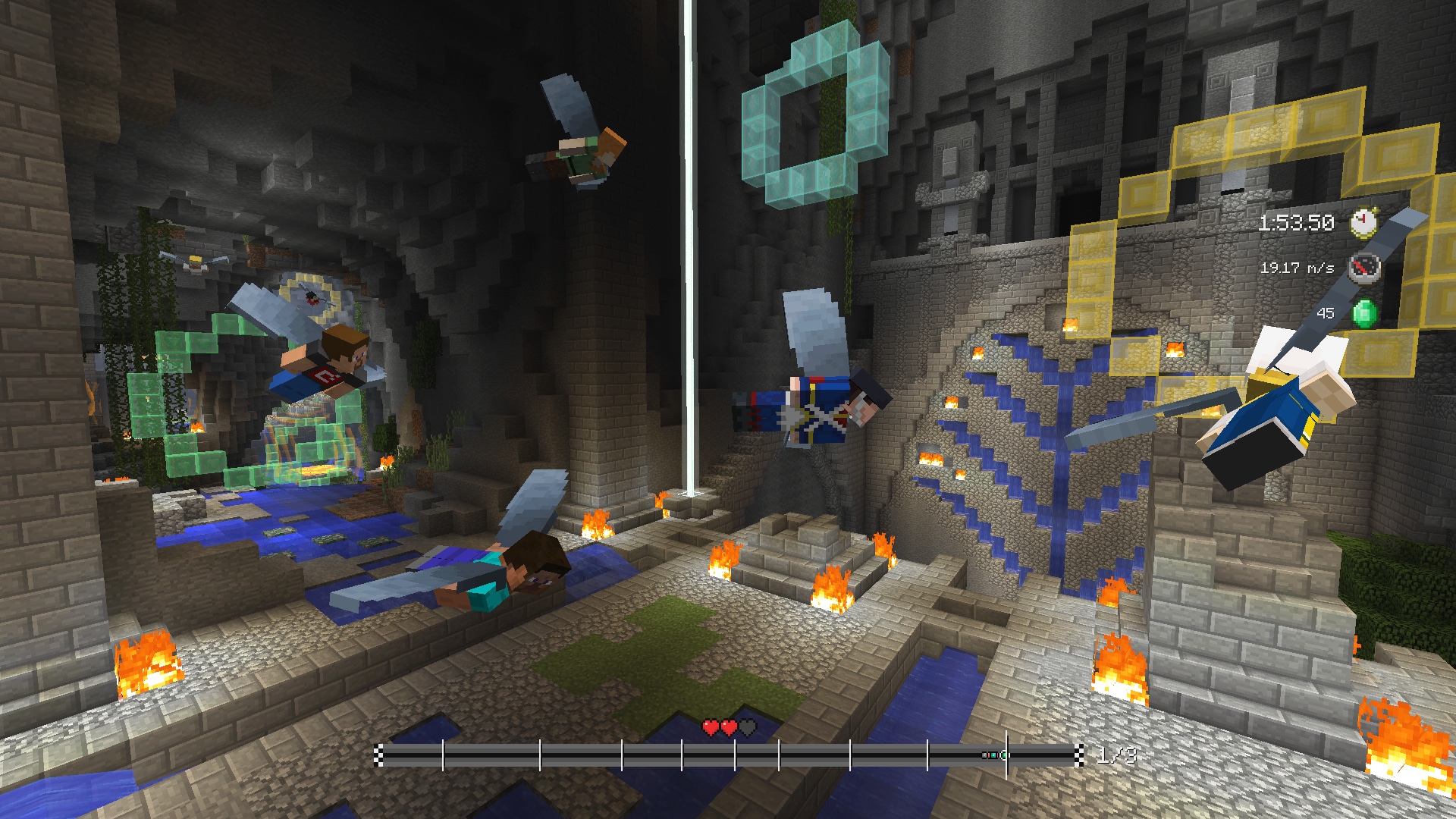
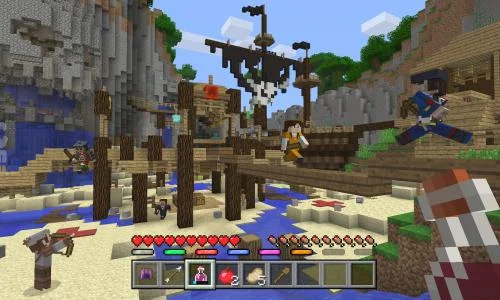
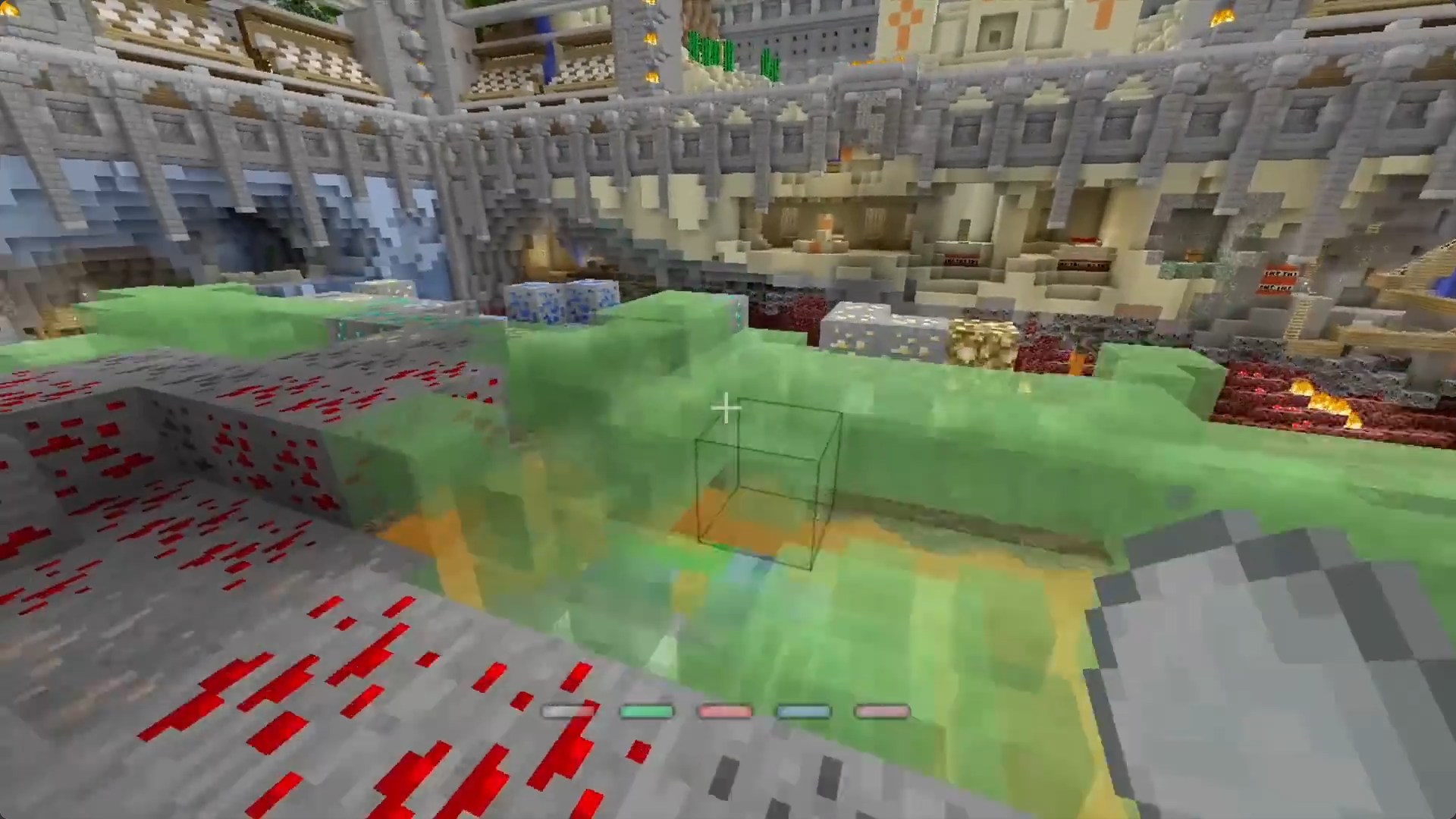
Since the games were built into Minecraft itself, they had full access to custom UI features. Java Edition Minecraft servers are not afforded that luxury: since we only control the server, rather than the client, there are far more limitations on what we can show on screen.
What we can do and what's new
Java edition servers can automatically provide a resource pack-a set of textures and other items-to a player when they join, though, which allows a vast number of new possibilities than just basic text display, albeit some of them being quite difficult to achieve.
Glyphs and X/Y control
For example, it's been a common feature of newer, complex servers to use "glyphs" — essentially retexturing unused Unicode characters — to display some basic UI on the screen. For example, if we define that \uE001 equals a score icon, whoever we display text we can include that score icon, which allows for some custom UI.
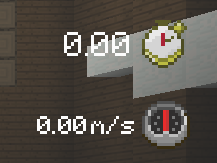
This typically isn't scalable to full-screen UI, though, and it does face some quite important limitations. Most notably, it's quite challenging to move glyphs on the vertical axis. For the horizontal axis, it's fairly easy, we can define "spacing" glyphs - empty Unicode characters — and place them dynamically to move our icon around the screen.
But vertically, we cannot. For custom glyphs, this can be overcome by providing an "ascent" value inside our custom font. For normal text, it's a little more difficult, though not insurmountable, as we can define a custom text font and adjust the ascent values in that too.
So great: we've got full (ish) control over both axes of movement for both glyphs and normal text. But what if we wanted to do something fancy like adding a full-screen background to recreate the old loading screen? That's quite challenging for a few reasons.
Larger than 256x256
Glyphs are unfortunately limited to 256x256 pixels. This creates quite a large limitation when doing very complex UI elements and menus. The most common solution is to split your image into multiple glyphs, but there is an alternative option: retexturing the background of a chest interface. The size of this texture is essentially unlimited - but the model that is used to display it is not, so we also need to update the rendering shaders of the game.
Shaders
Resource packs are technically able to override "Core Shaders" - the GLSL shaders that control how the game renders everything from blocks to entities to the UI. This is extremely powerful, albeit difficult to work with and very unsupported by Mojang. They also have access to a property, GameTime that allows for dynamic animations and effects, along with arbitrary data input from the server. I've documented more about how I use this in a previous blog post.
However, essentially, this allows us to achieve both:
- Updating the model of the chest interface to allow for larger images, including filling the entire screen (since shaders are able to know the viewport size)
- Adding animations, which is critical for a moving panorama background like the one in the loading screen
Problem solved. Here's a GIF of my completed loading screen implementation. The background is handled with the workflow mentioned above, and the rest of the stuff on top is handled with glyphs and custom fonts. The logo and hint background are split into multiple glyphs.
It's not 100% and still needs some tweaks, but it's pretty close to the original, and it works on modern Java Minecraft without any mods, which is pretty cool.
State
State within Core Shaders is a bit of a weird topic. This is slightly different from UI work, but it's fairly interesting.
Since shaders run purely on the GPU and without frame-to-frame buffers, they're not meant to have any sort of state management. However: after months of tinkering and research, there's actually a very hacky way to achieve some, partial, frame-to-frame state within core shaders. State is hugely important for messing with shaders like this because it'd allow for smooth interpolated effects, rather than just being updated every tick by the server.
One specific shader used by various other shaders is lightmap.fsh. It renders, as you might expect, the lightmap – the texture that controls how lighting is applied to blocks and entities. This shader is used in various places across the game, most notably for entities and blocks, though it isn't used for the UI shaders.
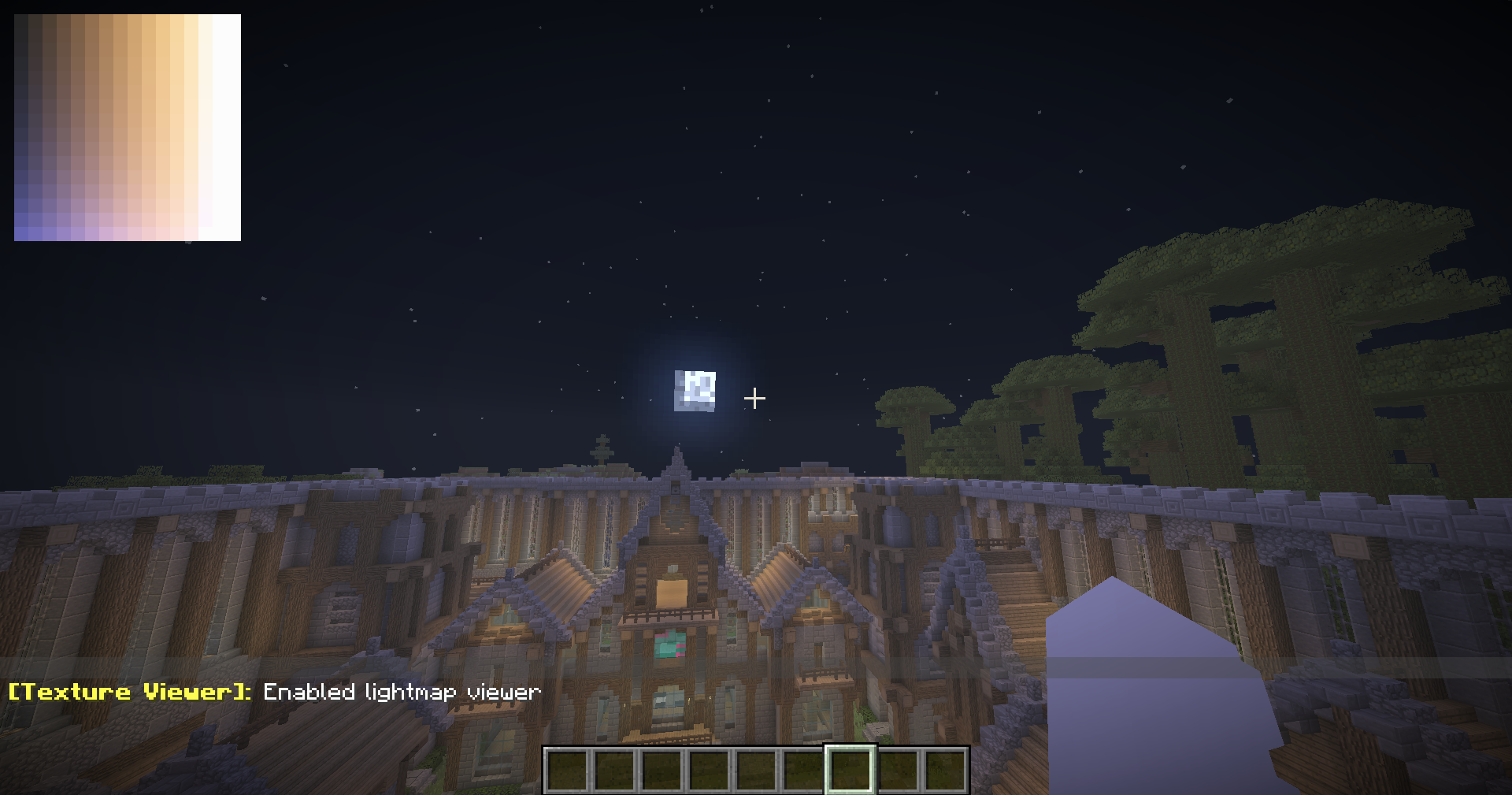
So cool - we have a shader which renders an output visible by other shaders. That's nice, but not particularly useful on its own. However - there's one critical property of this shader that makes it incredibly useful for state management: it doesn't get reset each frame. In practice, vanilla behavior dictates that the lightmap gets rerendered every frame, but if you choose, in the shader, not to render some of the lightmap, it gets merged with the previous frame, rather than replacing it. This is absolutely huge because it allows us to store some state in the lightmap, and have it persist across frames.
Since lightmap.fsh also has access to GameTime, we can store data that we receive from the server. In practice, there's one flaw: lightmap.fsh can't read itself. That makes it very, very difficult to do smooth & dynamic animations since you can't write to memory from the same place that it's read, and it's not something I've been able to fully achieve yet. Nonetheless, it's pretty cool, but I'm currently working on trying to make state work properly (including other tricks than just the lightmap), and if I can crack it, it would open up a whole new world of possibilities for dynamic shaders in Minecraft without mods, which is pretty exciting. Keep an eye on the repo for Flaps for updates.
Other UI
Finally, one other thing I wanted to mention that I thought was pretty cool: the hotbar. Shaders can change literally any UI in the game, including the hotbar. In LCE, the hotbar was scaled and moved up from the bottom of the screen, rather than being small and locked to the bottom like in Java. I've managed to replicate
this using core shaders. The hotbar is rendered by position_tex_color.fsh (along with a few other things so we single it out using a bounding box), and by adjusting the position of the vertices, we can move it up and scale it. Here's a quick view of it in action:
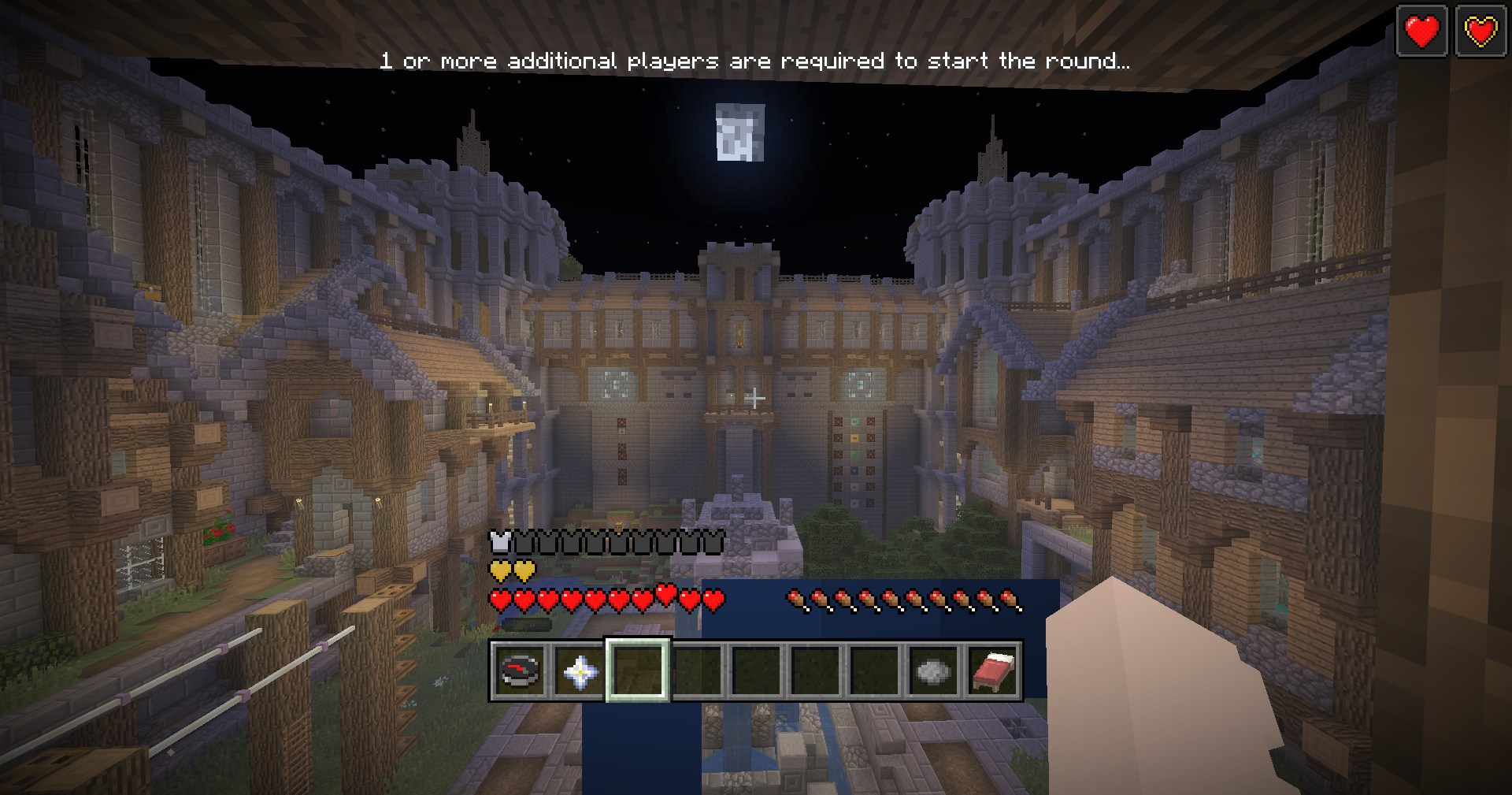
And a quick preview of some of the code that makes it work:
    if (eg_is_small_inventory_enabled(GameTime)) {
        vec2 ndc = clip.xy / clip.w;
        float x01 = ndc.x * 0.5 + 0.5;

        float ndcPerPxY = abs(ProjMat[1][1]);
        float shiftPx = scaledShiftPx(ProjMat, ScreenSize);
        float shiftNdc = shiftPx * ndcPerPxY;
        float bandNdc  = BAND_PX  * ndcPerPxY;

        bool inBottomBand = (ndc.y <= -1.0 + bandNdc);
        bool inXRange = (x01 >= X_MIN_01 && x01 <= X_MAX_01);

        if (inBottomBand && inXRange) {
            clip.y += shiftNdc * clip.w;
            clip.xy *= 1.25;
        }
    }
Conclusion
UI work in Java Edition is really tough. Really difficult. And despite all the cool things you are able to achieve, they generally rely on inherently unreliable features, break regularly, and are rather buggy. But that's the price to pay for these things. One thing has stuck with me, though: if you're determined enough to achieve something, no matter how limiting the engine may be, there was always another way. Only on one or two occasions throughout this entire project have I been hit with a full roadblock. There almost always was a way around, however hidden, hacky, experimental, or unreliable it may be.
If you are interested in checking PlayLegacy out, I would really appreciate it. It is a really fun project that I have been working on for the past few months .
Website: https://playlegacy.xyz
Server IP: playlegacy.xyz
Discord: https://discord.gg/minigames
If you're building complex UIs in Minecraft, I hope this inspires you to keep pushing the boundaries of what's possible. And if you have any questions about how I achieved any of this, feel free to drop me an email!